
 Search
 Account
 Cart
CartWhen you’re rifle hunting, your binoculars do much more than help you find an animal. They are usually the first optic you use to locate game, judge distance, evaluate a shooting opportunity and decide whether a shot is appropriate at all.
That’s where a rangefinding binocular with built-in ballistic and environmental information earns its place. The TORIC 10×42 Eagle Ballistics LRF Binocular lets you choose exactly what appears on the display, so the same optic can serve a close-range timber shot and a long cross-canyon opportunity.
The key is knowing which information you want available when you need it, and which information you would rather leave off the screen. This guide walks through each rifle-hunting setting, what it tells you, and when it’s worth keeping on.
Why Customize the TORIC 10×42 Eagle Ballistics LRF Binocular for Rifle Hunting?
Not every rifle-hunting situation calls for the same information.
A shot inside 100 or 200 yards may be relatively straightforward. You may not need a detailed ballistic solution or a long list of environmental data.
Open western terrain is a different story. You may be looking across a canyon at an animal several hundred yards away, with significant elevation changes, a crosswind, or wind moving through a drainage. In those situations, having ballistic and environmental information immediately available helps you evaluate the opportunity more efficiently.
Because your needs change from one situation to the next, being able to decide how much information is displayed is one of the most useful features of this binocular for a rifle hunter.
Start With the Right Gun Profile
One of the first things to set up for rifle hunting is the gun profile.
The gun profile gives you visual confirmation of which rifle the ballistic solution is built for. If you own several rifles, or more than one shooter uses the binocular, profiles make it easy to select the right setup, particularly when you’re hunting with a partner or switching rifles.
Instead of reconfiguring the binocular, you simply select the appropriate gun profile and keep going. Profiles are created in the Eagle Ballistics app and sent to the binocular; see how to upload gun profiles from the Eagle Ballistics app.

Angle-Compensated Range for Quick Decisions
Line-of-sight distance can certainly be used with a rifle, but angle-compensated range gives you a practical “shoot-to” range, which is especially helpful when you need a quick answer.
Think about a steep uphill or downhill shot. The straight-line distance to the animal and the effective shooting distance aren’t necessarily the same. Having the angle-compensated range on screen gives you one more piece of information to evaluate the opportunity quickly.
It’s also useful when you hunt with someone using a different rangefinder. Even if your partner isn’t working with the same integrated ballistic information, the angle-compensated range gives you both a common reference for the shooting distance.
On closer shots, it provides a quick shooting reference without working through a complete ballistic solution.
Make the Ballistic Solution Work for You
One of the biggest advantages of the TORIC 10×42 for rifle hunting is having Eagle Ballistics information available directly through the rangefinding system.
For longer shots, the ballistic solution can provide elevation and windage corrections. That becomes particularly valuable in open country, where a shot may stretch well beyond 300 yards.
Rather than treating every shot the same, you can set the display to provide the information you need to make an informed decision.

Windage and Elevation
If you use the binocular’s ballistic information, windage and elevation corrections are two of the most important values to keep available.

The wind solution can also be adjusted quickly. If the wind changes, you adjust the wind value and direction through the controls instead of starting the process over.
That matters in western hunting environments, where wind can shift as it moves through canyons, across ridges or along drainages. For more on handling wind, read why the relative wind feature is a game-changer.
Retained Velocity: Know What Happens at Impact
Another useful piece of ballistic information is retained velocity, or velocity at impact.
Understanding the velocity your bullet is expected to have when it reaches the target is an important part of evaluating ammunition performance and whether a shooting opportunity is ethical.
The binocular displays the expected impact velocity based on the ballistic information entered into the system and synchronized with the binocular. You don’t have to memorize it; it can be right there on the display.
Bullet Flight Time
Bullet flight time is another option you can display.
For a stationary target, not every hunter needs to see it. But when an animal is moving, knowing how long the bullet will be in flight gives you useful information when evaluating the shot.
That’s why some rifle hunters keep bullet flight time on, while others remove it to simplify the display.
The important point is that you get to choose.
Maximum Ordinate: Understanding Your Bullet’s Flight Path
The binocular can also display the maximum ordinate (shown as MAX ORD), the highest point of the bullet’s trajectory.
This helps you judge whether the bullet’s path has enough clearance over something between you and the target. If vegetation, a branch or another obstruction sits between you and the animal, understanding the trajectory helps you evaluate whether the bullet’s path could intersect it.
Environmental Information When You Need It
Environmental conditions can influence a ballistic solution, particularly as shooting distances increase.
That’s why a rifle-hunting configuration can include environmental information such as temperature and other available environmental data. The binocular can also use its own environmental readings as the source for the ballistic solution.
For longer shots, having those conditions built into the ballistic information gives you a more complete picture of the shooting situation. Of course, not every hunter wants all of that on the display, and that’s where the next setting comes in.
Don’t Want All That Information? Turn It Off.
You’re never forced to use every available feature. If you prefer a clean, simple display, you can turn off:
- Environmental data
- Earth-based effects
- Bullet flight time
- Windage and elevation
- Gun profile
- Other available display information
With those options off, the display can be simplified to primarily show the range information you need. For some hunters, that’s the ideal setup. Others prefer as much ballistic information as possible at a glance.
The binocular lets you choose.

Keep the Display Focused on Hunting
When you set up the binocular for rifle hunting, consider not only what information is useful, but also what creates unnecessary clutter.
For example, earth-based effects can be turned off if you don’t find them useful for your hunting situation.
The idea isn’t to use every feature simply because it’s available. The goal is a display that gives you what you need without distracting you from what matters most: finding game, evaluating the situation and making a responsible decision.
Turn Off the Startup Logo for Faster Access
A small but practical change: turn off the startup logo. With it disabled, the binocular gets to its ranging capability more quickly after you activate it.
That may not seem significant until you’re in a real hunting situation and need to range an animal fast. The less time you spend waiting for the display, the sooner you have the information you need.
Automatic Brightness Keeps the Display Easy to Read
Brightness can be set to Auto.
Changing light is a normal part of hunting. Rather than adjusting the display yourself, automatic brightness lets the binocular manage it based on the conditions. Set it once and concentrate on hunting.

Choose Your Preferred Units
The TORIC 10×42 also lets you select the units that match the way you hunt and shoot:
- Imperial or metric measurements
- MOA or MRAD
Configure the binocular to match your ballistic information and the rifle scope you’re using, so the numbers stay consistent and easy to interpret.
Set the Auto Time-Off to Match Your Hunting Style
The automatic time-off setting can be customized too.
One rifle-hunting approach is a relatively short display timeout, so the binocular quickly returns to a clean viewing state. There’s an important convenience built in: even after the display has timed out, pressing the fire button brings the last ranged solution back onto the screen.
That means you don’t need to leave the ballistic information displayed continuously while you’re glassing. If you use the TORIC 10×42 LRF binocular as both your binocular and your rangefinder, this keeps the view clean while the last range stays available when you need it.
Target Mode: Choose What Fits the Situation
The binocular offers several target-mode options.
For general hunting, the Best target setting is one option that may work well. Near or far target modes may be useful depending on the situation, and rain or snow modes can be selected when the weather calls for it.
Some of the more specialized settings are better suited to competitive shooting than hunting, so the best choice depends on how you use the binocular. For tricky targets, see mastering the art of ranging big game.
Don’t Forget the Compass
If you use the compass function, make sure it has been properly calibrated. The video above walks through the procedure. Once it’s calibrated, you can display the compass or leave it off, depending on your preference.
Again, the philosophy is simple: configure the binocular around the information that actually helps you in the field.
A Rifle-Hunting Setup That Makes Sense
Based on the rifle-hunting configuration demonstrated in these videos, a practical setup could include:
Information to Consider Keeping ON
Angle-compensated range
A quick shooting-distance reference, particularly useful on steep terrain.
Windage and elevation
Key ballistic information for longer-range shooting situations.
Gun profile
Confirms which rifle profile the ballistic solution is using.
Environmental information
Relevant conditions for the ballistic solution.
Impact velocity
Expected velocity at the target.
Bullet flight time
Useful when evaluating shots at moving animals.
Maximum ordinate
The highest point of the bullet’s trajectory.
Information You May Want OFF
Earth-based effects
Can be removed if they aren’t useful for your hunting situation.
Startup logo
Turning it off gives you faster access to ranging.
Other display information
Can be removed if you prefer a simpler, less-cluttered display.

The beauty of the system is that there isn’t one “correct” display for every hunter.
Build the Display Around the Hunt
A rifle hunt can change dramatically from one moment to the next.
You could spend an hour glassing open country and suddenly find yourself looking at an animal across a canyon. Later that same day, you could be working through timber and encounter an animal at less than 100 yards. Those situations don’t require the same information.
That’s why customization matters.
For a longer cross-canyon opportunity, you may want environmental information, windage and elevation corrections, impact velocity, bullet flight time and maximum ordinate immediately available. For a close-range opportunity, you may prefer to simplify the display and concentrate on the animal and the basic range.
More Information Doesn’t Always Mean a Better Display
It’s tempting to turn on every feature simply because the technology allows it. But the best setup is the one that works for you.
If additional information helps you make better decisions, keep it displayed. If it creates clutter or shows information you don’t use, turn it off.
That matters for rifle hunters, because what you need for a 100-yard timber shot can be very different from what you want available for a 600-yard cross-canyon opportunity. Bowhunters face the opposite problem; see the best TORIC laser rangefinder settings for bowhunting.

Frequently Asked Questions
Can I turn off the ballistic data on the TORIC 10×42 LRF?
Yes. Environmental data, earth-based effects, bullet flight time, windage and elevation, gun profile and other display information can each be turned off, leaving a simplified display that primarily shows the range information you need.
What does angle-compensated range do on a rifle hunt?
It gives you a practical “shoot-to” range for steep uphill or downhill shots, where the straight-line distance and the effective shooting distance aren’t necessarily the same. It also gives you and a partner with a different rangefinder a common reference for the shooting distance.
How do I bring back the last range after the display times out?
Press the fire button. Even after the display has timed out, the fire button brings the last ranged solution back onto the screen, so you don’t have to leave the ballistic information displayed while you glass.
The Bottom Line
The TORIC 10×42 Eagle Ballistics LRF Binocular combines a high-performance binocular, a laser rangefinder and a ballistic information system in one hunting tool, and its customizable display lets you decide how much information you want at your fingertips.
For longer-range western hunting, angle-compensated range, windage and elevation corrections, environmental information, impact velocity, bullet flight time, maximum ordinate and gun profiles provide valuable information when evaluating a shooting opportunity. For hunters who prefer simplicity, those same features can be turned off for a clean, easy-to-read ranging display.
Ultimately, the advantage is flexibility.
Set it up for the hunt you’re on. Set it up for the information you trust. And set it up so you can concentrate on what matters most: finding game and making responsible, ethical decisions in the field.
Ready to Upgrade Your Optics Setup?
Phone: 631-662-7354 | Email: support@tractoptics.com | Live Chat Available
See what others are saying on Trustpilot:

SHOP NOW!
 TORIC 10X42 Eagle Rangefinding Binocular
A premium SCHOTT HT binocular with an integrated laser rangefinder. Distance and angle compensation in one tool.
Read MoreBuy Now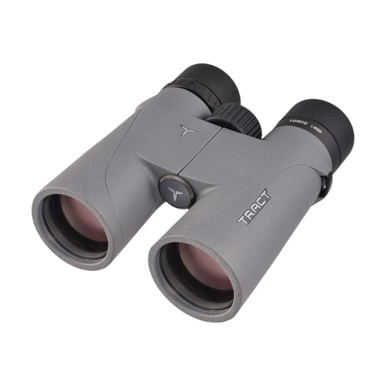 TORIC UHD SCHOTT HT 10X42 Binocular
The all-around outdoor binocular for birders, hikers, and wildlife observers. SCHOTT HT glass for premium light transmission.
Read MoreBuy Now TORIC UHD SCHOTT HT 8X42 Binocular
Built for the dawn-and-dusk window when wildlife is on the move. SCHOTT HT glass, ED lenses, and a wide field of view.
Read MoreBuy Now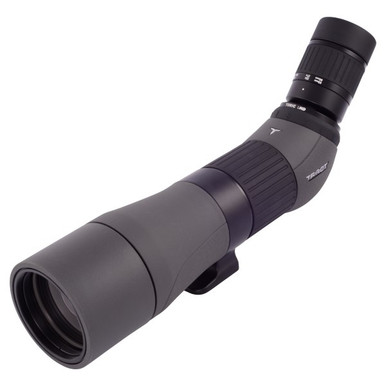 TORIC UHD 22-45X65 Angled Spotting Scope
The 45-degree angled eyepiece reduces neck strain on long sessions, and the lightweight 65mm body keeps pack weight down.
Read MoreBuy Now TORIC UHD SCHOTT HT 15X56 Spotting Binocular
When 12x is not enough and an 80mm spotter is too much. Both eyes on glass, 15x magnification, 56mm objectives.
Read MoreBuy Now